A vision board description is two plain sentences that say what the board is for and by when, and the easiest way to keep it in view is a printed template. For a quick start, I would open Editable Girl Boss Vision Board for the board itself, then 2027 Vision Board Planner to keep the description and your steps together. Here are 10 options for a vision board you will actually look at.
A board you never see is just a folder of pictures: the description is what tells you why each picture is there, so write it before you print anything.
Browsing for more? See our vision board ideas, 2026 vision board aesthetic, vision board quotes and vision board goals pictures.
I Need a Vision Board for… Take This One
| Preview | Idea | Best for | Format | Avoid if |
|---|---|---|---|---|
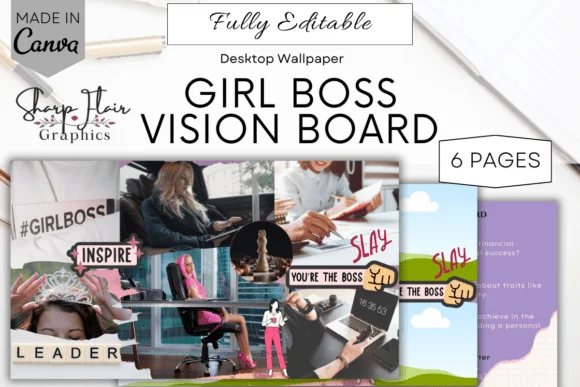 |
Girl Boss Board | Career and side business | Canva, six pages | you want one big poster |
 |
Business Desktop Board | Work goals on a screen | Canva, 1920×1080 | you only want a wall print |
 |
Clip Art Picture Book | Ready-made pictures to cut out | PDF, 8.5×11 in | you want editable text |
 |
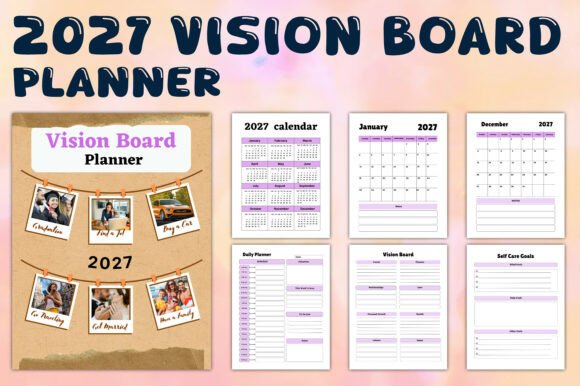
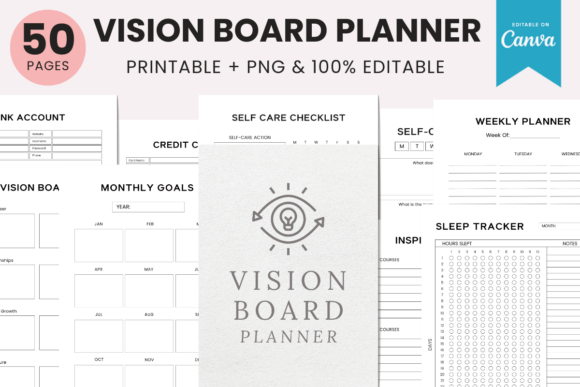
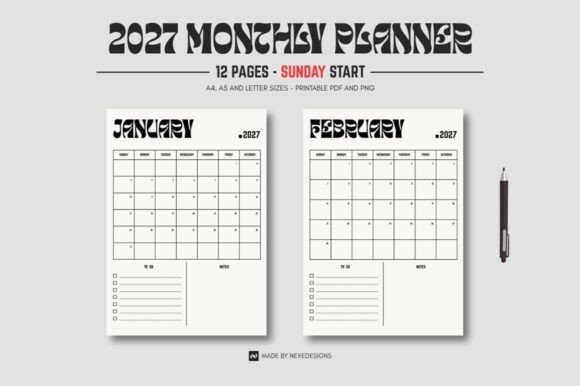
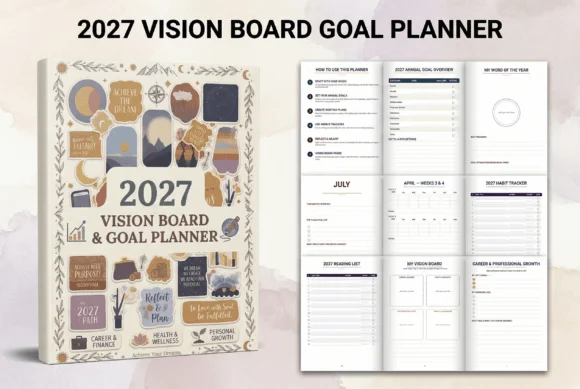
Vision Board Planner | Board plus daily steps | Printable planner | you want a single sheet |
 |
Guided Dream-Life Planner | Writing the description in steps | Canva, 120 pages | you dislike long workbooks |
 |
Goal Action Planner | Turning pictures into tasks | Planner with worksheets | you want pictures only |
 |
Fully Editable Planner Set | Your own fonts and colours | Canva template | you do not use Canva |
 |
Checklist and Affirmation Planner | Daily habits beside the board | Canva template | you want a wall print |
 |
Beam Visionary | A neat title for the board | Font | you want handwriting only |
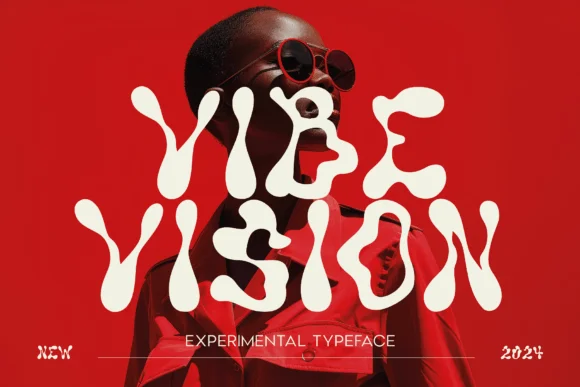 |
Vibe Vision | An artistic, abstract look | Font | you need calm, plain text |
Printable Boards You Edit in Canva: Pictures and Words in One File
These three give you the board itself. You write your description, swap in your own pictures or use the supplied ones, then print and pin. They cover work goals, personal goals and a ready picture library.
1. The Six-Page Girl Boss Board
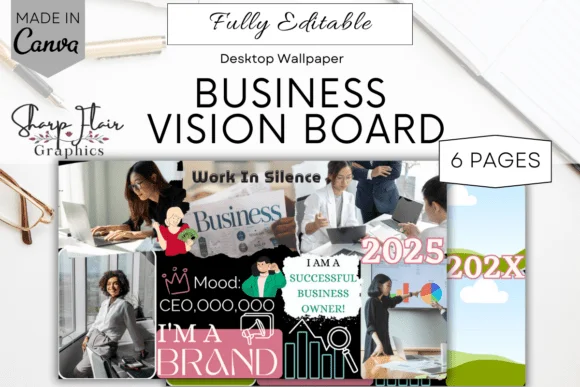
This is an editable Canva vision board built for desktop use, with a six-page layout for goals, business and the life around it. You change the text, swap the pictures and keep the structure.
Write the description first: two plain sentences saying what the board is for and by when. Put them on page one, then print the pages and pin them in a row so the board stays in sight.
The common mistake is filling every page with quotes. Give each page one picture group and one short caption in your own voice, or the board reads like someone else’s wallpaper.
It suits a woman building a side business who wants goals and personal life on one wall. Watch the format: it is sized for a screen, so print it across several sheets rather than one poster.
- Best for: 2026 vision board ideas for career and business, a six-sheet wall strip.
- Avoid for: a single large poster print.
2. The Business Desktop Board
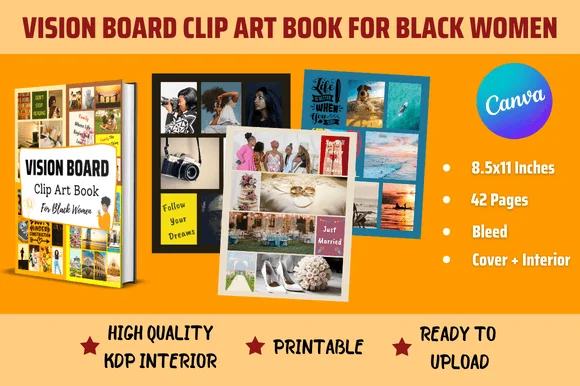
A Canva template in desktop size, 1920×1080, made for business goals. The wide shape suits a laptop wallpaper first and a wide-format print second, and every element can be edited.
Use the description as the caption under your biggest goal. One sentence for the result, one for the date. Then add vision board photos of the office, the client or the product you are aiming for.
People often cram in ten goals at once. Keep three, because a wide board with ten items shrinks each picture until nothing is readable from your desk chair.
It suits a freelancer or small business owner who works at a screen all day. Print it at letter size on your office wall, and keep the screen version as your wallpaper.
- Best for: vision board photos for business goals, a laptop wallpaper board.
- Avoid for: tall portrait wall posters.
3. The Cut-Out Picture Book
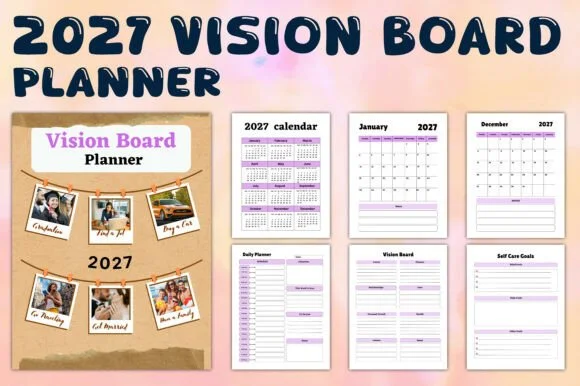
A clip art book for vision boards, made as a KDP interior: 8.5×11 inch pages, a PDF at 300 DPI, 42 pages. It is aimed at Black women and covers cooking, countries, fitness, friends and health.
Print the pages you need, cut the pictures and glue them onto a card. These are vision board pics ready to use, so you skip the hour of searching that usually kills the project.
Write the description on a strip of paper and stick it across the top. Without it, a collage of cut-outs looks like a scrapbook, not a plan with a date.
It suits anyone who prefers scissors to screens. Check that the categories match your goals before you print everything, since you only need the pages you will really use.
- Best for: vision board pics to cut out, a paper collage on a card.
- Avoid for: boards that need editable text.
Planners That Hold the Description: Where the Board Meets the Calendar
A description tells you what the board means. A planner tells you what to do on Tuesday. These five put both on paper, so the wall print and your week point the same way.
4. The Planner That Starts With the Board
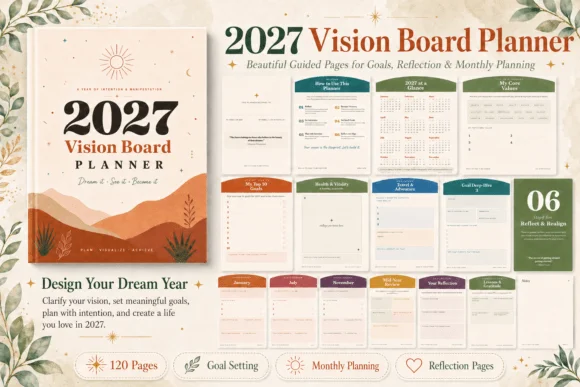
This is a customizable vision board planner, listed with a 100% customizable original file and tagged for a 2026 journal and template. The board sits at the front and the planning pages follow.
Print the board page and pin it up, then keep the planner on your desk. Copy your two-sentence description onto both, so you read the same words in two places.
A usual slip is printing the whole planner for the wall. Pin only the board page, and keep the working pages in a folder you can open daily.
It suits a reader who wants one file to cover the picture and the plan. Details are on the Vision Board Planner page in our library.
- Best for: vision board 2026 planning, board plus desk planner.
- Avoid for: a one-sheet quick board.
5. The Guided Dream-Life Workbook
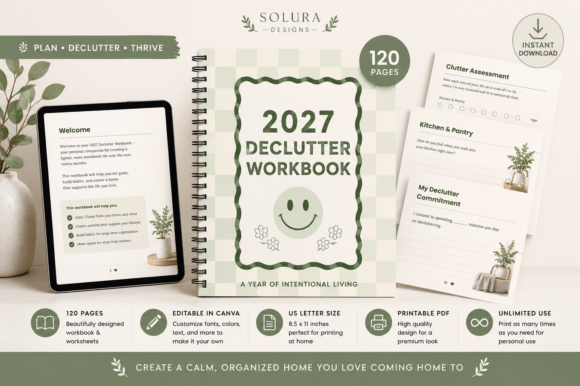
A 120-page guided planner, sold as an editable Canva template and tagged for dream life and annual planning. It walks you through intentions instead of leaving you with a blank page.
That guidance is the point if you struggle to find words. Work through the early pages, copy your clearest lines into one short paragraph and use it as the description for the board.
The mistake is writing for hours and never printing. Pick the pages you will use, print those and leave the rest on screen.
It suits someone drawn to vision board manifestation who wants prompts, not just pictures. The length is a plus for slow reflection and a drawback if you want a ten-minute task.
- Best for: vision board manifestation prompts, writing your description step by step.
- Avoid for: quick one-evening boards.
6. The Goal Action Planner
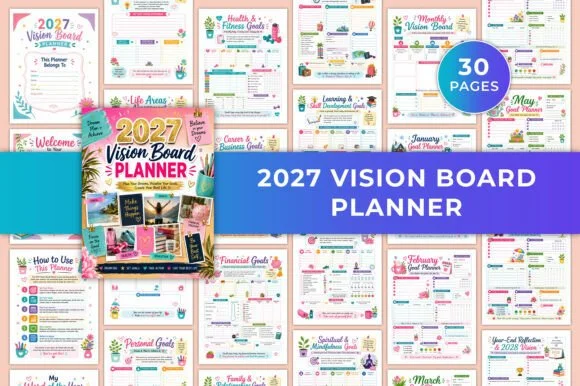
This goal planner pairs a vision board with an action plan worksheet, affirmation pages and daily planner pages, delivered as a digital download. The board states the goal and the worksheets break it down.
Take each picture on your board and write one action next to it in the worksheet. That link is what stops pictures turning into decoration.
People often skip the affirmation pages. Use them to rewrite your description in the present tense, which reads better when it is pinned beside a mirror or desk.
It suits readers who need vision board goals pictures tied to tasks. If you only want a pretty collage, the extra worksheets will feel like homework.
- Best for: vision board goals pictures with an action list, a goal-to-task worksheet.
- Avoid for: a purely decorative board.
7. The Fully Editable Planner Set
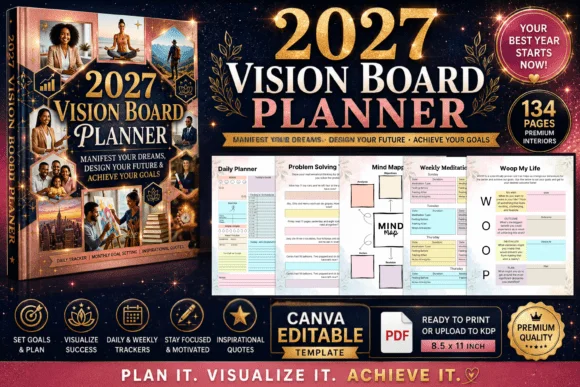
A planner delivered as a fully editable Canva template, so you change fonts, colours and layout on every page. The tags mention dream, goal, habit, life and manifestation planners.
Edit it to match your board. Pick two colours from your favourite picture and use them on every page, so the planner and the wall print look like one set.
The common error is changing too much. Fix the colours and fonts once, then only change text, or you will spend the whole evening on design.
It suits a reader who already works in Canva and wants control. If you do not use Canva, the editing is the part to weigh before you buy.
- Best for: a matching board and planner, your own fonts and colours.
- Avoid for: readers who do not use Canva.
8. The Checklist and Affirmation Planner
Another Canva template, tagged for aesthetic planners, affirmations, bucket lists and daily checklists. It gives you small daily pages to sit next to a board on the wall.
Use the checklist for three habits that match your description. If the board says calm mornings, the checklist holds the three things that make a calm morning.
The mistake is a list with twelve habits. Keep the daily page short enough to finish before coffee gets cold.
It suits anyone who likes soft, pretty pages for a 2026 vision board and wants the daily routine in the same look. Skip it if you want a large wall print, as it is a planner first.
- Best for: a 2026 vision board with daily habits, bucket list pages.
- Avoid for: a big wall poster.
Fonts for the Description: Lettering That Reads From Across the Room
These two are close neighbours rather than boards: type you set your description in. The right face makes two sentences look designed instead of typed, but they only help if you already have a board.
9. The Fashion-Magazine Title
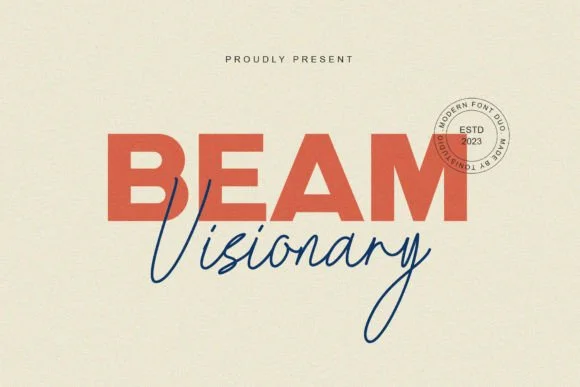
Beam Visionary is a classy, modern sans serif paired with a signature style. Its maker describes it as a header or editorial font that works best in display sizes.
Set your board title in the signature style and the description in the sans. Keep the title to two or three words, so it reads from across the room.
The usual mistake is using the signature for the full description. Long lines in a script slow reading and make the board look cluttered.
It suits a clean, fashion-leaning board. Check the licence line on the product page before using it on anything you sell, and test the sizes in your own layout first.
- Best for: a neat board title, an editorial look.
- Avoid for: long paragraphs in the script.
10. The Abstract Artistic Title
Vibe Vision is an experimental font that breaks away from conventional type, with abstract, artistic and aesthetic tags. It gives a board a bold, designed headline.
Use it for one word only, such as the theme of your year. Put your plain description under it in a quiet font so the sentence stays readable.
The mistake is setting the whole description in it. Abstract letters can be hard to read at small sizes, and the point of the description is that you can read it daily.
It suits vision board ideas aesthetic readers who like art on the wall. If you prefer calm, plain type, pick a simpler face and let the pictures carry the mood.
- Best for: vision board ideas aesthetic, a single-word headline.
- Avoid for: full sentences and small captions.
What Is a Vision Board Description?
A vision board description is the short text that sits with your board and explains it. It names the goal, the reason and the date in your own words, so a stranger could read it and understand the pictures.
Without it, a board is a mood. With it, every picture has a job. Keep it to two or three sentences, write it in the present tense and put it where your eye lands first. If you cannot read it from a metre away, it is too small or too long. A planner such as Guided Dream-Life Planner gives you prompts if the blank page is the problem.
How to Write a Vision Board Description in Four Steps
- Pick the one result the board is for, such as a calmer job or a first client.
- Write it as a sentence in the present tense: “I run a small studio with steady clients.”
- Add the date or season you want it by, in plain words.
- Cut every word you would not say aloud, then print it large enough to read from across the room.
Do this before choosing pictures. The sentence tells you which pictures belong and which are only pretty.
How to Print a Vision Board So It Does Not Look Childish
A board looks childish when it has too many colours, mixed picture styles and tilted scraps. Pick one colour range and one picture style, and leave clear space around each group.
Print on matte paper, because gloss shows glare in daylight. If the file is screen-sized, like Business Desktop Board, print it on letter sheets and pin them in a neat grid. Straight edges and even gaps do most of the work. Use a plain font for the description and keep decoration for the title only.
Where to Pin Up a Vision Board So You Actually See It
The problem most people have is that they never see it. Hang it where you stand still: beside the bathroom mirror, above the desk, next to the kettle or inside a wardrobe door.
Avoid the bedroom wall behind you, as you will not look at it. Keep the description at eye level, because that is the part you need to read. Pins or washi tape let you swap sheets without damaging paint. A small second copy as a phone wallpaper covers the days you are out of the house.
How to Update a Vision Board Before It Goes Stale
A board turns into last year’s untruth when the goals change and the paper does not. Set a date, often the first of each season, to reread the description and ask if it is still true.
- If it is true, leave it and replace only the pictures that no longer excite you.
- If it is half true, rewrite the sentence and reprint that sheet.
- If it is false, take it down and start from the description.
An editable file such as Fully Editable Planner Set makes this a ten-minute job. See also our vision board manifestation ideas for more on keeping a board honest.
If It Goes Wrong: Mistakes That Make a Board Look Childish or Go Stale
- You use ten colours and five picture styles, so the board looks like a sticker sheet.
- You skip the description, so nobody, including you, knows what the pictures mean.
- You write goals you do not believe, and stop looking at the board within a month.
- You pin it where you never stand still, so you never see it.
- You never set a date to review it, and it quietly turns into last year’s board.
When the free version isn’t enough
If hunting for pictures is the part you keep abandoning, a ready set of printable cards saves the evening. Start with Vision Board Clip Art Book, or browse more in our printables library.
Key Takeaways
- Write the description first: two plain sentences with a goal and a date.
- Pick one colour range and one picture style so the board looks adult.
- Pair the wall board with a planner that holds your daily steps.
- Pin it where you stand still, at eye level.
- Review it each season and rewrite what is no longer true.
Common questions
What is a vision board description?
It is a short text, usually two or three sentences, that says what your board is for and when you want it. It lives on or beside the board so the pictures have a clear meaning.
How long should a vision board description be?
Two or three sentences. If you cannot read it from a metre away or say it in one breath, cut it down.
Should I write it in present or future tense?
Present tense reads best on a wall: “I run a small studio with steady clients.” Add a date in plain words so it still feels like a plan.
Where should I put the description?
At the top or bottom edge of the board at eye level, in a plain font. Keep decorative fonts for the title only.
Can I use one file for the board and the planner?
Yes. Several of the planners above put the board page first and the planning pages after, so you print the board for the wall and keep the rest on your desk.
How often should I update my board?
Once a season is a good rhythm. Reread the description, change what is no longer true and reprint only those sheets.
Ready to start? Open Editable Girl Boss Vision Board and write your two sentences first.